Engineering & Robotics
LogVue
A desktop app that turns FTC Control Hub logs into a searchable, session-based archive for competition and workshop debugging.
Overview
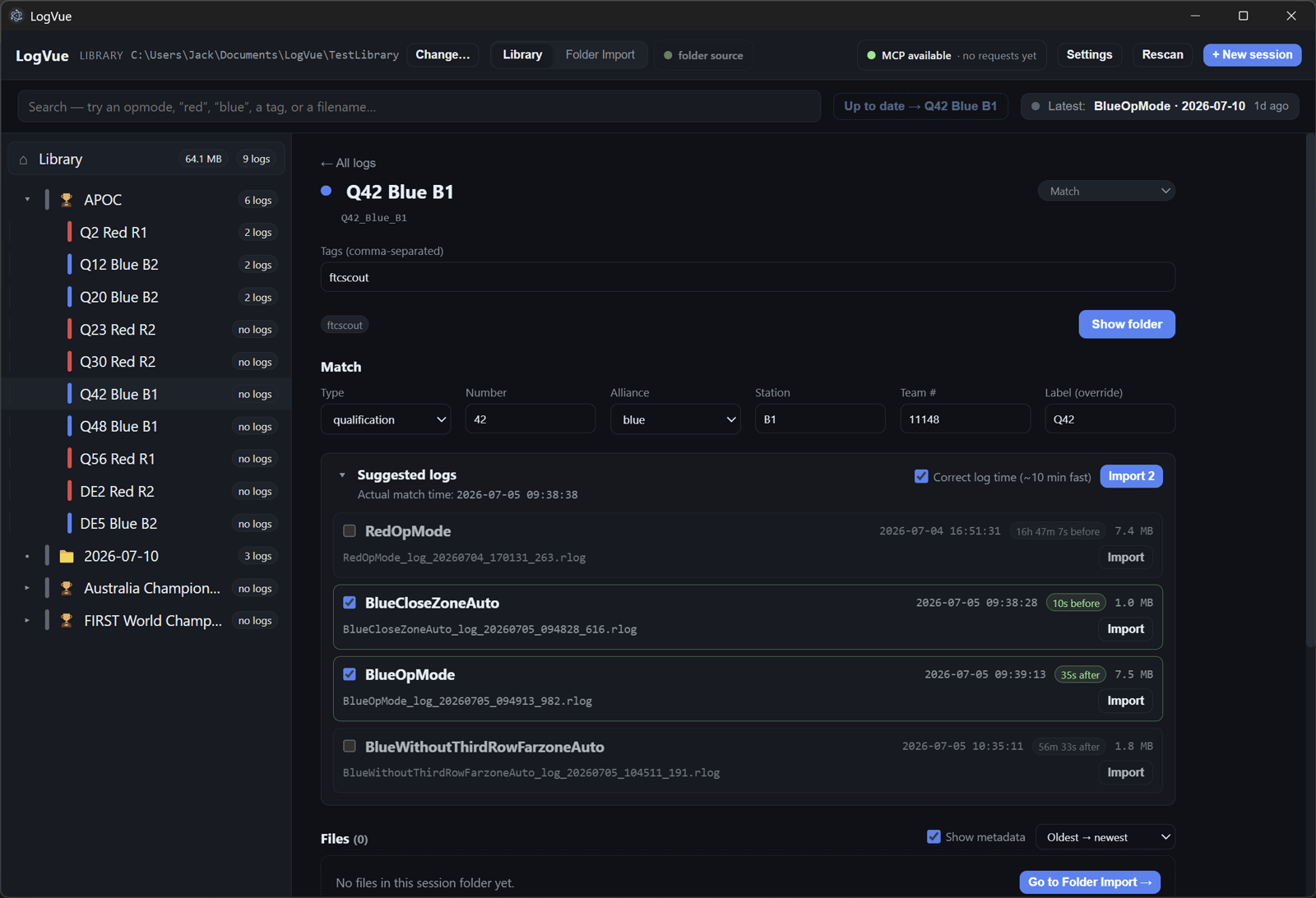
LogVue is a desktop app I conceived and shipped to make FIRST Tech Challenge (FTC) robot logs useful after a match or test. Control Hubs accumulate RLOG files with timestamps and filenames but little of the context that explains what the robot was doing. LogVue pulls those logs over Android Debug Bridge (ADB), organises them into competition or workshop sessions, and keeps match metadata, notes, and source files together in a normal folder archive.
My Role and Use of AI
- Defined the problem from a real FTC debugging workflow and wrote the detailed product specification
- Directed the product and architecture decisions, including the session-based archive, rebuildable index, and agent workflow
- Used AI coding agents as implementation partners, turning the product specification and iterative feedback into a working desktop app
- Verified changes with type checks, automated tests, and repeatable GUI workflows, then directed further iterations
- Backed the agent-written code with 135 automated tests across 18 suites, covering archive, import, ADB, search, metadata, and interface logic
July 2026: v0.1.0 in eight days
From the first specification commit on 4 July to the tagged v0.1.0 release on 12 July, LogVue grew into a working Windows desktop app. The archive deliberately keeps ordinary folders, session.json, and notes.md as the source of truth. SQLite makes browsing and search fast, but remains disposable and rebuildable, so the collection still makes sense outside LogVue.
- Built a sandboxed Electron and React desktop interface with a typed boundary around filesystem, ADB, and database access
- Preserved original logs while adding duplicate detection, structured metadata, and fast whole-archive search
- Configured both Windows installer and portable build targets
Matching logs to a robot run
At a competition, the hard part is not pulling a file; it is knowing which run it belongs to. LogVue can sync event and match data from FTCScout, correct for a Control Hub clock that is running early or late, and compare each match time against the available logs. It then suggests the likely autonomous and driver-controlled files without hiding nearby candidates.
- Supports more than one log per match, including autonomous, TeleOp, replay, crash, and tuning files
- Imports from a Control Hub over ADB or from a local folder
- Keeps original filenames and timestamps, and checks for duplicate imports
A browsable archive, not a file dump
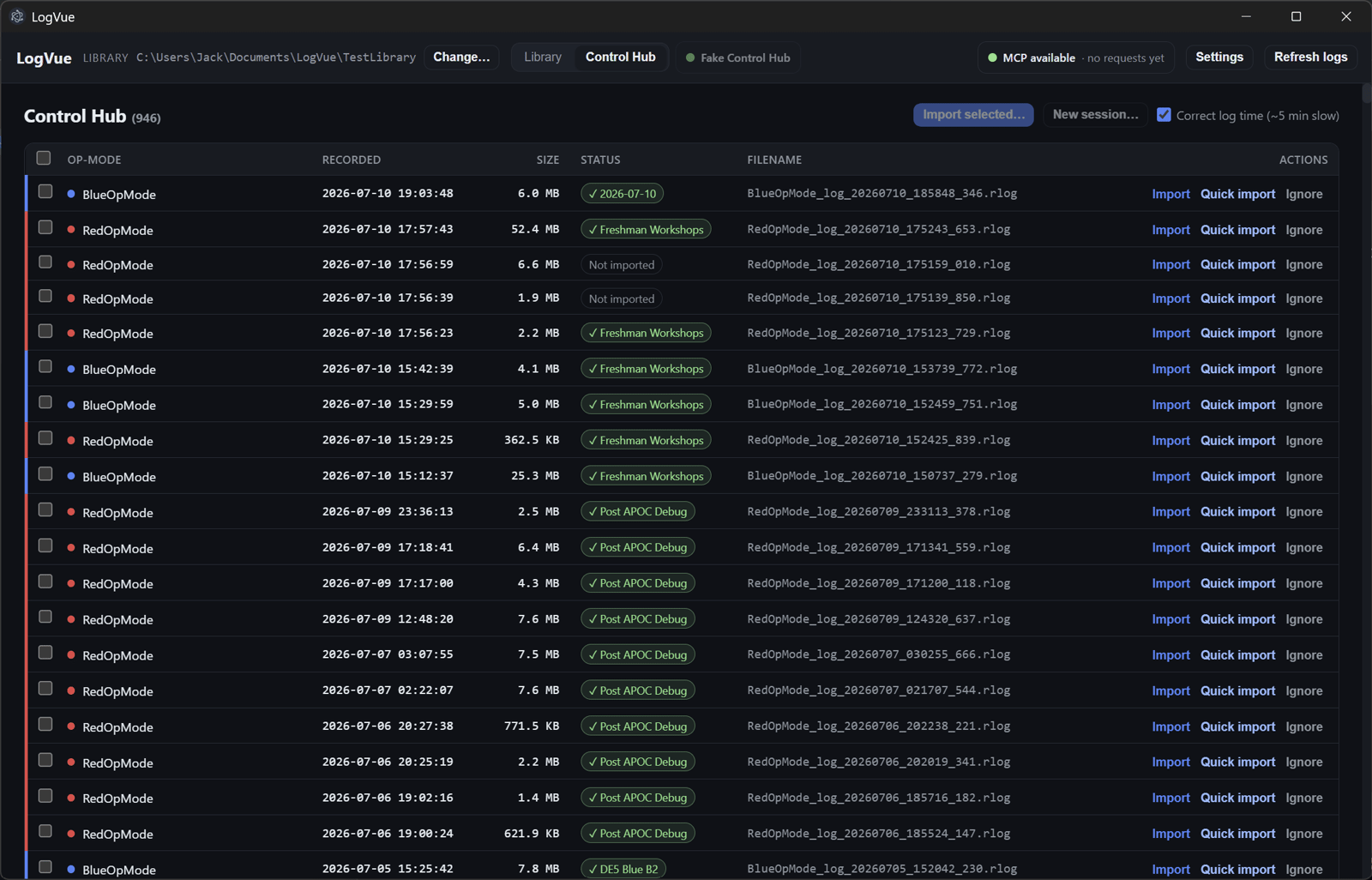
The Control Hub browser surfaces the op mode, recorded time, file size, and import state before anything is copied. Batch selection, quick import, and ignore controls keep a dense log directory manageable, while the library connects each imported file back to the event, match, workshop, or debugging session where it belongs.
- Searches by op mode, event, team, alliance, tag, filename, and file kind
- Uses a rebuildable SQLite index while keeping the folder archive authoritative
- Watches for edits made outside the app and refreshes the index automatically
Notes linked to the evidence
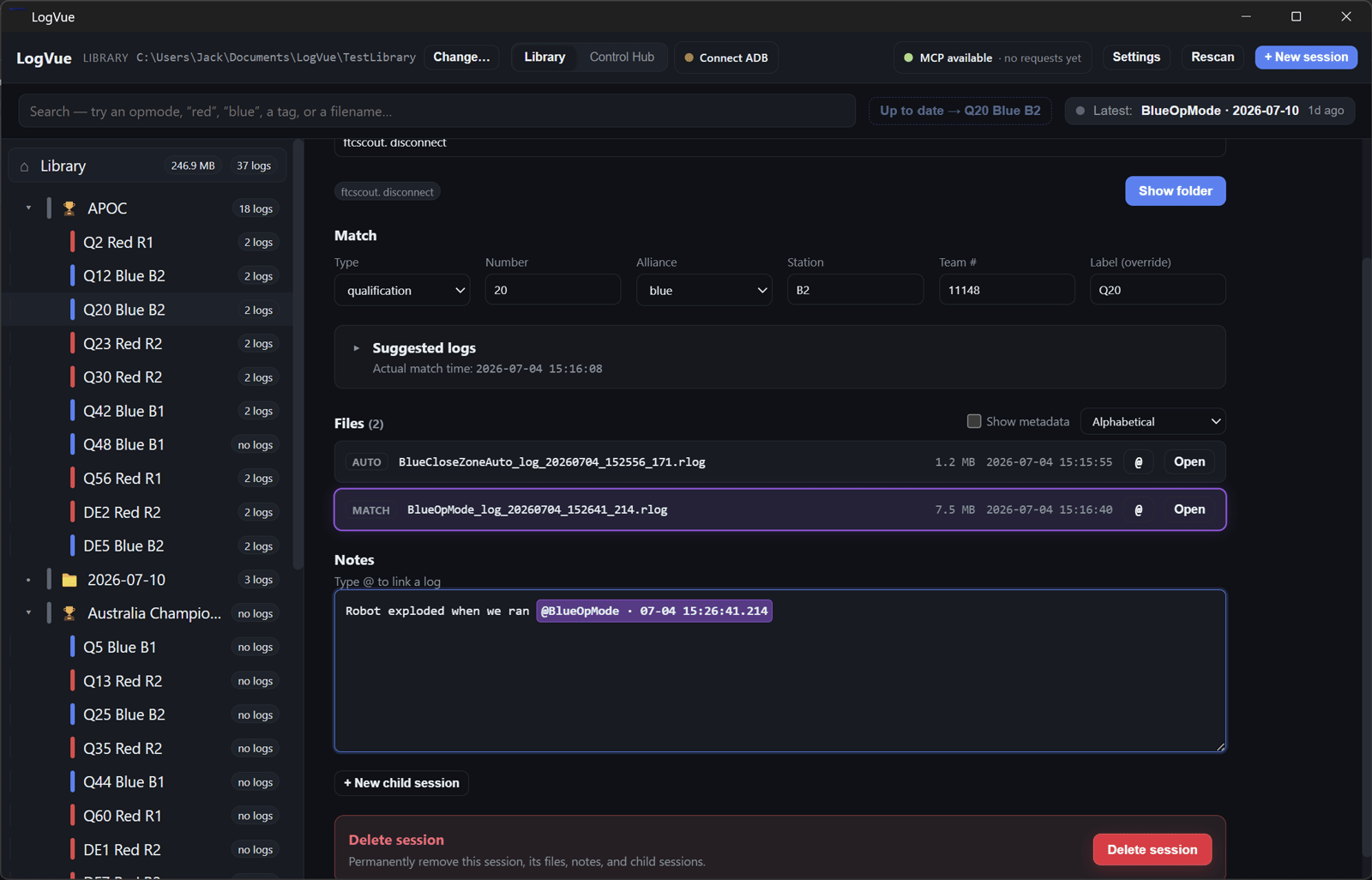
Each session can hold free-form engineering notes alongside its logs. Typing an @ mention links an observation to a particular RLOG; selecting that mention brings the matching file into focus. LogVue also extracts embedded op mode, build, and Git metadata so the archive records both what happened and which software produced it.
- Keeps human-readable notes in notes.md beside the session files
- Links observations to exact logs without introducing a proprietary note format
- Reads embedded RLOG metadata without loading the entire file
Agent-ready workflows
LogVue also exposes a narrow Model Context Protocol (MCP) interface so coding agents can check Control Hub status, discover logs, create sessions, and import files through the same services as the desktop UI. The rest stays filesystem-native: an agent can browse session.json files and update notes.md without needing a proprietary export or a second copy of the archive.
- Keeps Electron as the single owner of ADB access, indexing, and managed imports
- Uses a stable local bridge for agent clients running on Windows or through WSL
- Refreshes the desktop view when a person or agent edits the archive directly